

Send HumHub mass notifications through Brevo
With more than 1,000 members, or to get statistics on the emails sent, configure Mass Notification with Brevo, an email sending service. It takes four steps.
1. Create and validate a Brevo account
Create an account on onboarding.brevo.com/account/register.
Make sure Brevo has validated your account: usually, you need to import some email contacts and send a first campaign.
2. Create an API key
Create an API v3 key in app.brevo.com/settings/keys/api, then copy and paste it in the settings of the module:

3. Set the sender
Then fill in the other settings of the module:
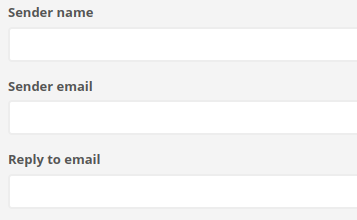
- Sender email is an email address configured as a sender in Brevo: app.brevo.com/senders/list.
- Reply to email can be the same address, but we suggest a dedicated mailbox with an automatic reply.
4. Wait a day before the first large sending
To send a first notification to more than 1,000 members, wait one day after enabling the module: a daily job adds every member of the platform to Brevo's contacts, which makes the sending faster.