

Course completion certificates in HumHub
A student who completes a course receives a certificate: a PDF they can download and share, with a link anyone can use to check that it is genuine.
1. When a certificate is issued
The certificate is created the moment a student completes the last lesson of a course, quizzes included. The student is notified, and the certificate stays available under My Learning and on the course page (Download Certificate, View Certificate).
2. What it shows
One A4 landscape page: "Certificate of Completion", the student's name, the course, the Space that issued it, the completion date and a unique certificate ID, plus the footer text set by the system administrator (Administration → Modules → LMS → Configure), such as a legal notice or your website's address.
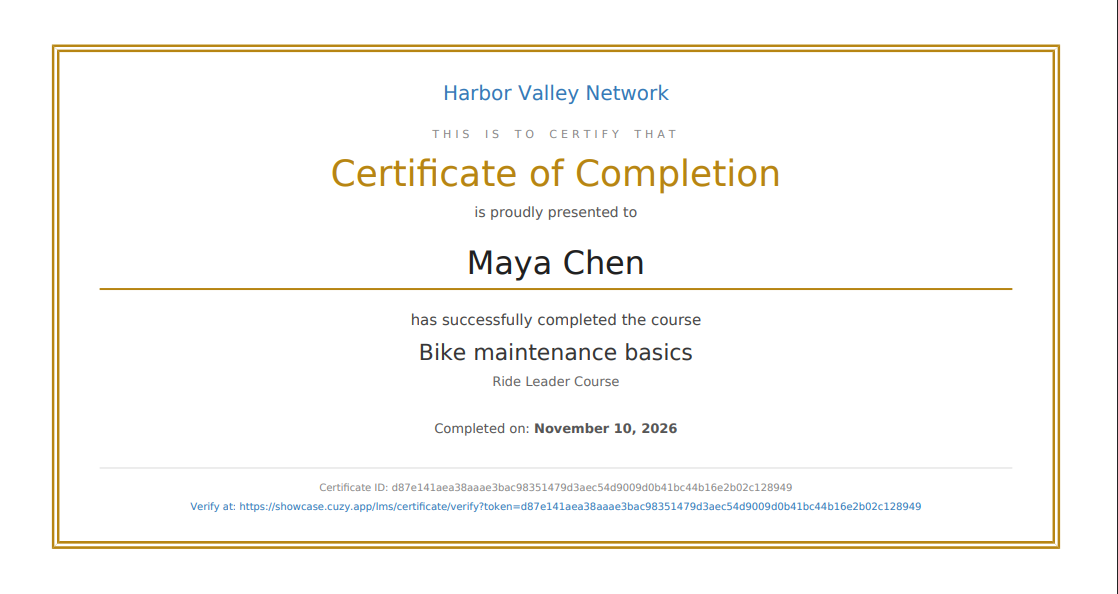
Names are printed in their own script: Latin, Cyrillic, Greek, Arabic, Hebrew, Chinese, Japanese, Korean, Thai, Devanagari and Vietnamese are supported. Emoji in a name cannot be printed in a PDF and appear as empty boxes.
3. The verification page
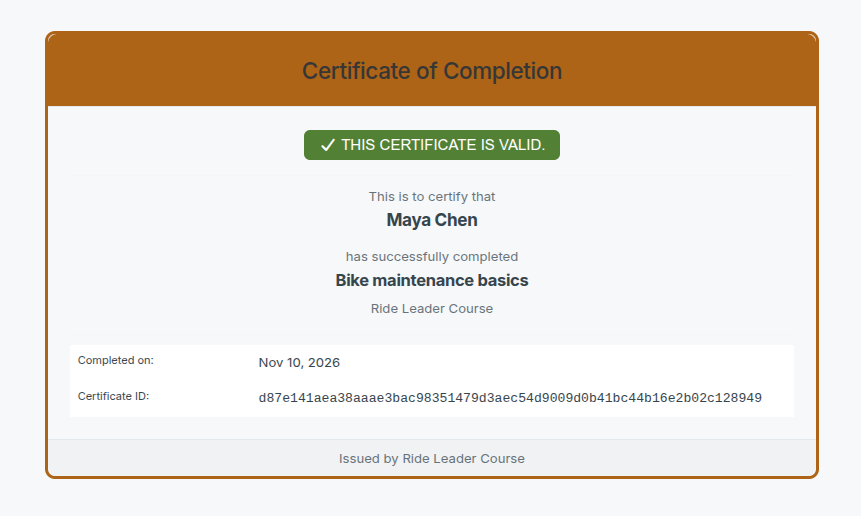
Every certificate carries a link to a public page of your community, which needs no login, that says "This certificate is valid" with the student's name, the course and the date. An employer or another organization can check a certificate there; a link that does not match any certificate says so.
4. Turn certificates off
Certificates can be switched off for the whole platform (Administration → Modules → LMS → Configure → Enable certificates) or for one Space (the Space's LMS settings → Enable certificates in this Space). Students who complete a course while certificates are off receive none. If certificates are turned back on later, HumHub's database integrity check (the integrity/run console command, run by your host or server administrator) issues the missing ones.
Read next
- Set up the LMS module in a HumHub Space
- Build a course with sections and lessons in HumHub
- Enroll students in HumHub courses: open, invite, approve
- Add a quiz to a HumHub course lesson
- Track course progress and students in HumHub
- LMS — Learning Management System module: features and price
- New versions of the modules by email: the CUZY newsletter, a few times a year