

Set up the LMS module in a HumHub Space
LMS works Space by Space: each Space that enables it gets its own course catalog, instructors and settings. This page covers what to do once, before the first course.
1. Enable the module in a Space
Once the module is installed and its license key entered (Administration → Modules), each Space that offers courses enables it: in the Space, go to Settings → Modules and enable LMS — Learning Management System.
The Space menu then shows a Courses tab: the course catalog of this Space. The Space sidebar shows a short block with the number of courses and, for a member already enrolled, their progress and certificates.
2. Choose who builds courses
Creating, editing and deleting courses, and managing their students, needs the Manage LMS Courses permission of the Space. By default, the Space owner and the Space administrators have it. To let moderators or members build courses too, grant it in the Space under Settings → Permissions.
Everyone who can see the Space can browse its catalog. Anyone with the permission is called an instructor on these pages.
3. The platform settings (Administration)
Under Administration → Modules → LMS → Configure, a system administrator sets what holds for every Space:
- Enable certificates: when off, no certificate PDF is generated or downloadable anywhere on the platform.
- Enable course ratings: when off, students cannot rate courses anywhere, and existing ratings are hidden. The ratings are kept, so switching it back on brings the averages back.
- Certificate footer text: an optional line printed at the bottom of every certificate, for example a legal notice or your website's address.
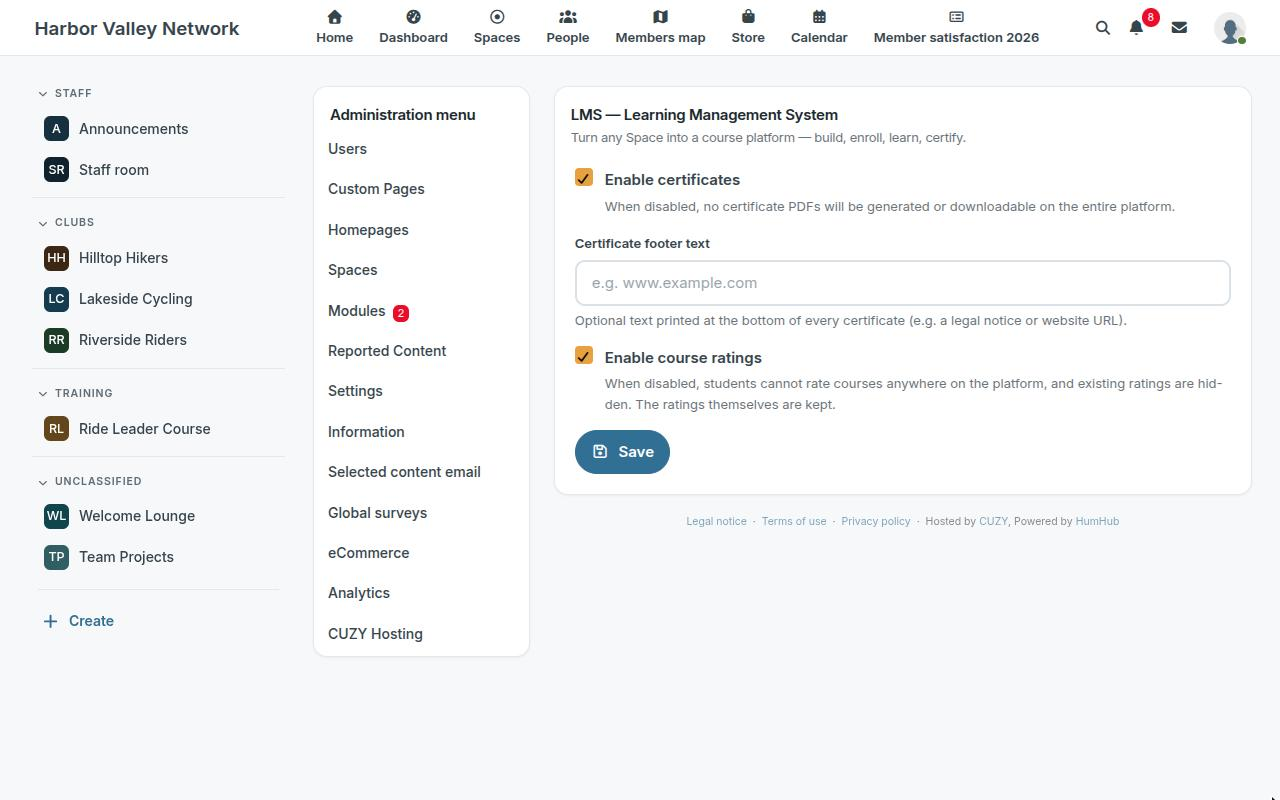
These two switches are the master switches: a Space cannot turn on something the platform has turned off.
4. The Space settings
In the Space, Settings → Modules → LMS → Configure holds the settings of this Space:
- Name for "Courses" in this Space: renames the feature everywhere in the Space (the menu tab, the catalog heading, the breadcrumbs, the sidebar). "Trainings", "Workshops" or "Onboarding" are common choices. Leave it empty to keep "Courses", translated into each member's language.
- Enable certificates in this Space and Enable course ratings in this Space: the same switches as the platform's, for this Space only.
- Default enrollment type for new courses: open, invite only or requires approval (enrollment). Instructors can still change it per course.
- Course categories: the categories members can filter the catalog by. A course picks its categories in its own settings. Deleting a category keeps the courses.
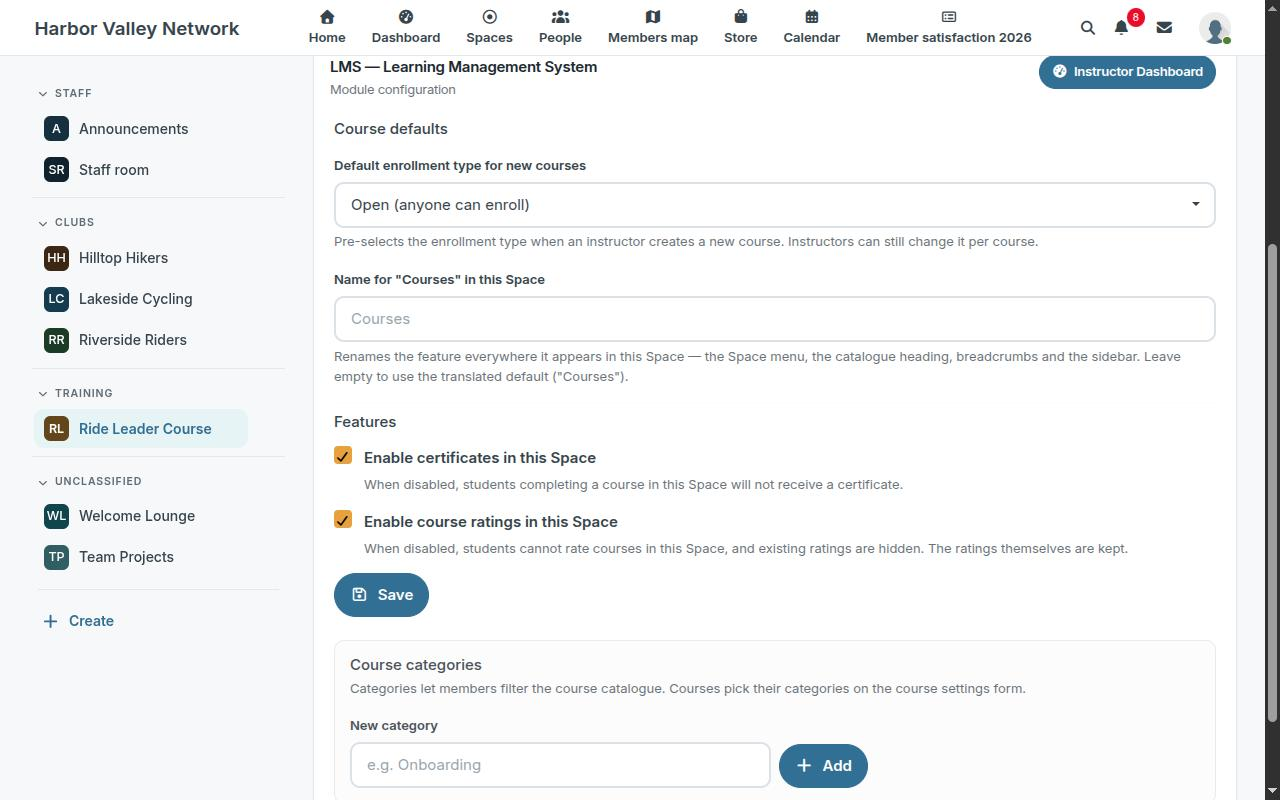
The same page has an Instructor Dashboard button, the way into the courses of the Space for those who build them.
Read next: build a course.
Read next
- Build a course with sections and lessons in HumHub
- Enroll students in HumHub courses: open, invite, approve
- Add a quiz to a HumHub course lesson
- Course completion certificates in HumHub
- Track course progress and students in HumHub
- LMS — Learning Management System module: features and price
- New versions of the modules by email: the CUZY newsletter, a few times a year