

Add a quiz to a HumHub course lesson
Any lesson can carry a quiz. A lesson with a quiz is complete only once the student passes it, so a quiz is also how a course checks understanding before moving on.
1. Add the quiz
In the Curriculum tab, select the lesson, then Add Quiz in its editor. The quiz has a title (shown on its introduction and results pages; "Quiz" when left empty) and its questions.
2. Questions
Two kinds of questions:
- Multiple choice (MCQ): write the question, add the options with Add option, and mark the correct one.
- True / False: write the statement and mark whether it is true or false.
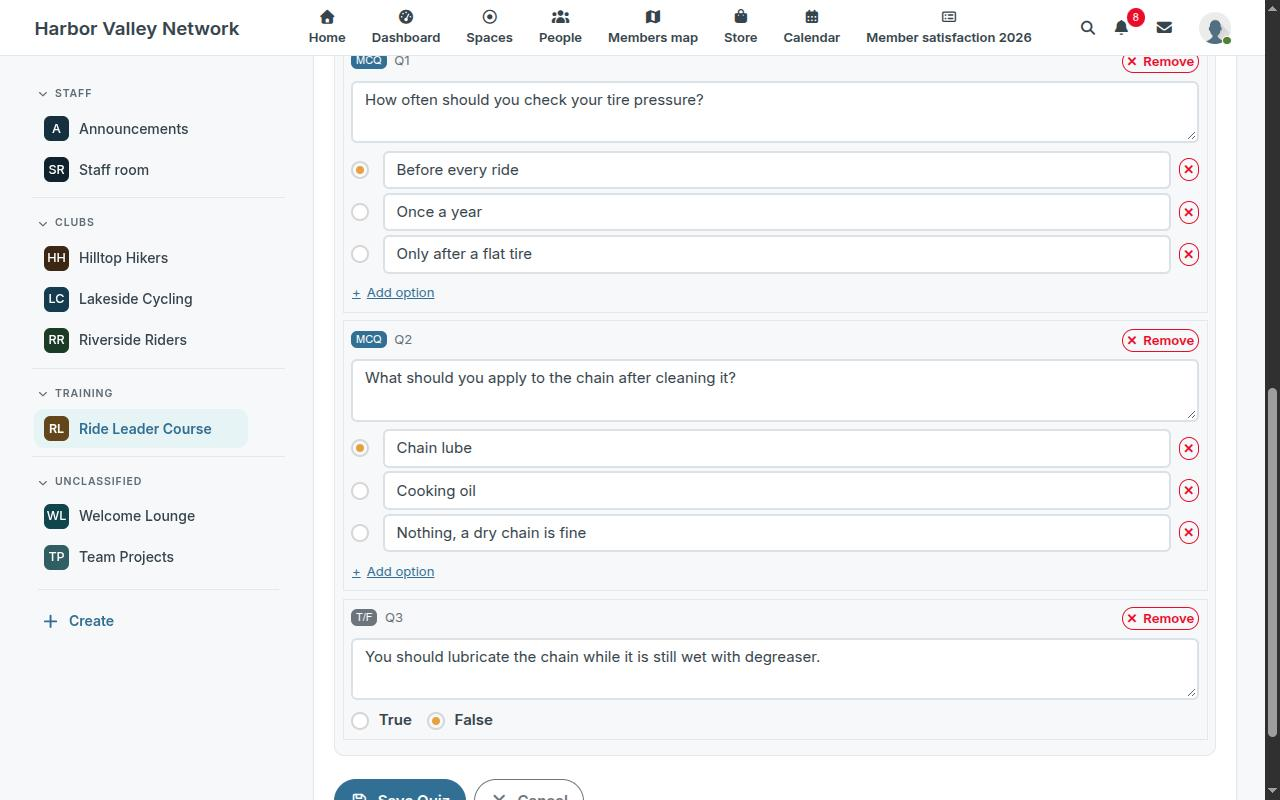
Questions can be added, edited and removed at any time. Past attempts keep their answers. Rewording or reordering the options of a question after students have answered it changes how their past answers read, so add a new question instead when the meaning changes.
3. Quiz settings
| Setting | What it does |
|---|---|
| Pass Score (%) | the share of correct answers needed to pass |
| Time Limit (minutes, 0 = no limit) | a countdown during the attempt; when it runs out, the answers given so far are submitted |
| Max Attempts (0 = unlimited) | how many times a student may try |
| Randomize Questions | a different question order for each attempt |
| Show Correct Answers After Submit | the results page shows, for each question, whether the answer was correct and which one was |
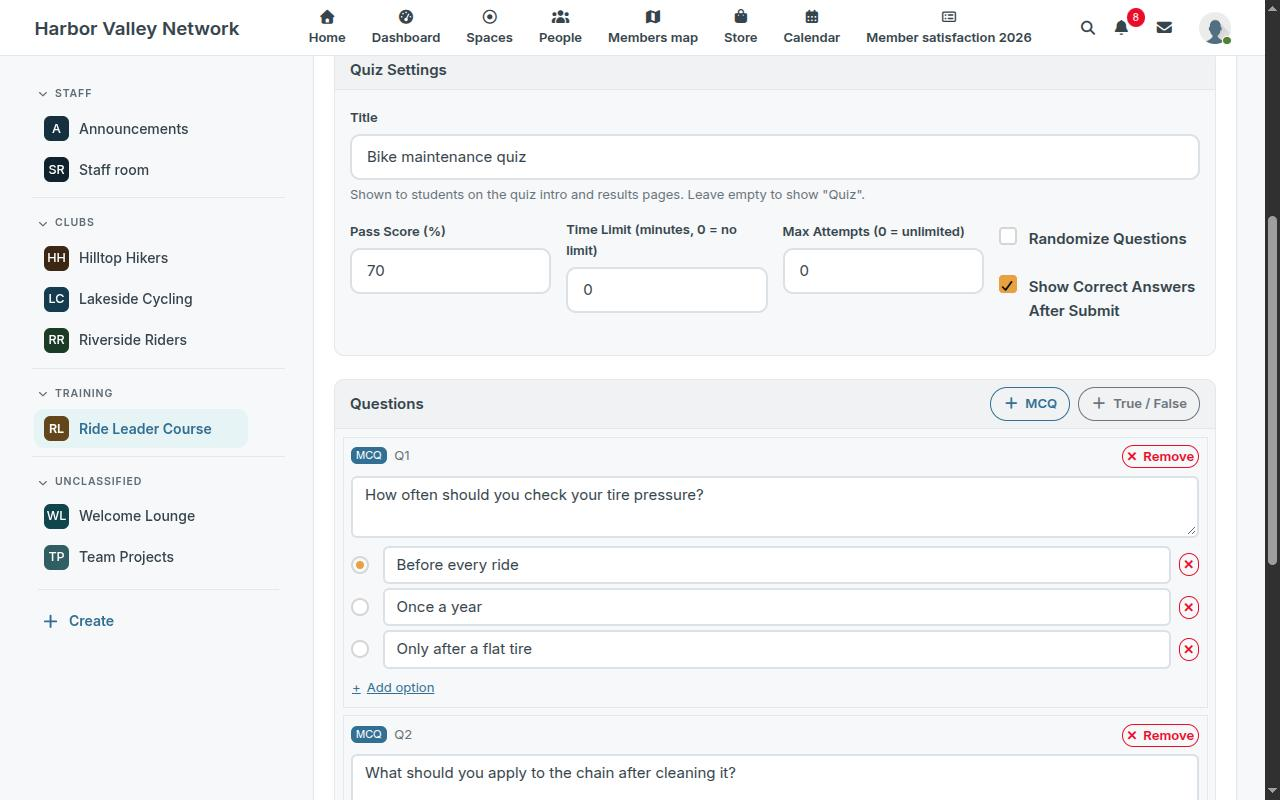
4. What the student sees
Under the lesson, the student finds Take the quiz for this lesson. The attempt is graded at once: score, passed or not, and the review of the answers if you allowed it. Mark Complete stays unavailable until a passing attempt exists; once the last lesson is complete, the course is complete and the certificate is issued.
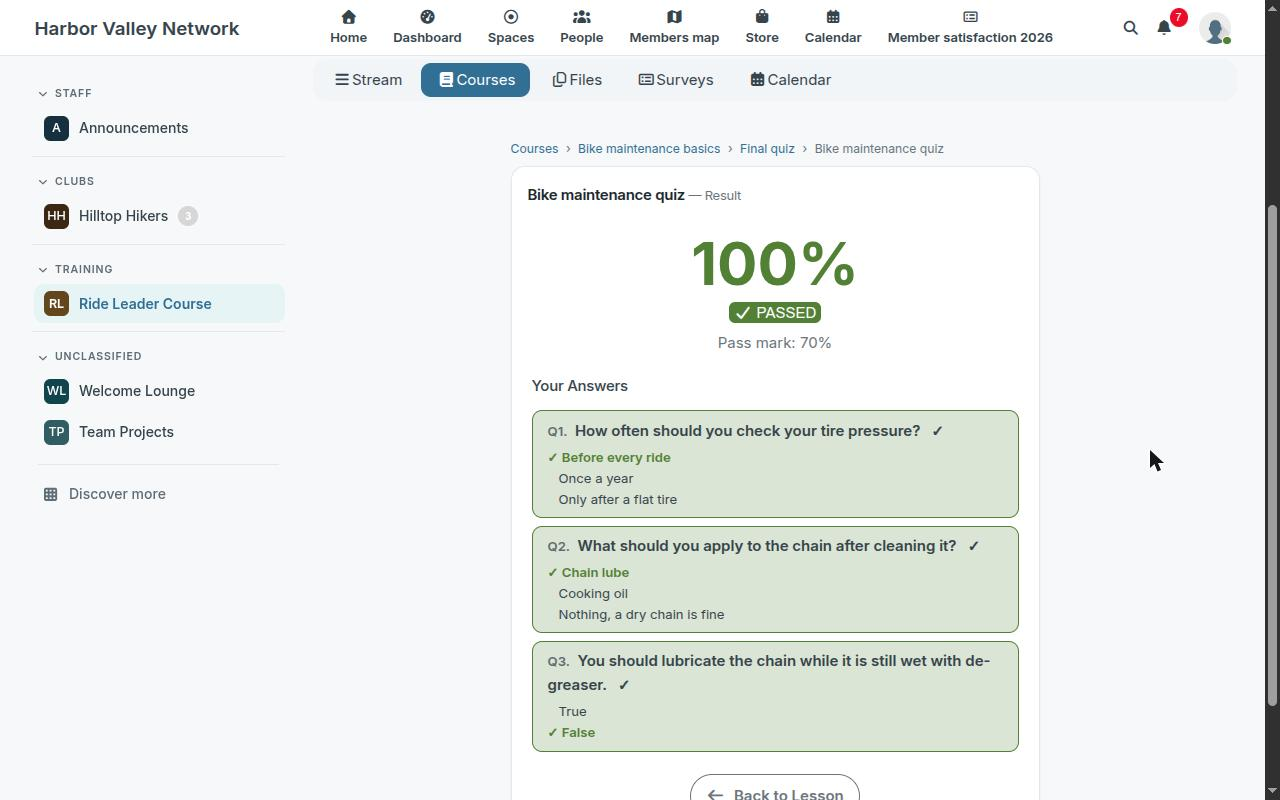
The progress of each student, quizzes passed included, appears in the Students tab.
Read next
- Set up the LMS module in a HumHub Space
- Build a course with sections and lessons in HumHub
- Enroll students in HumHub courses: open, invite, approve
- Course completion certificates in HumHub
- Track course progress and students in HumHub
- LMS — Learning Management System module: features and price
- New versions of the modules by email: the CUZY newsletter, a few times a year