

Delete inactive HumHub accounts after deactivation
The second step removes the accounts that stayed deactivated. Deletion can run automatically at the daily job or wait for an administrator to click the button, and it handles the spaces the deleted member owned.
1. Enable the deletion process
In the settings of the module, open the "Account deletion" panel and check "Enable account deletion process":
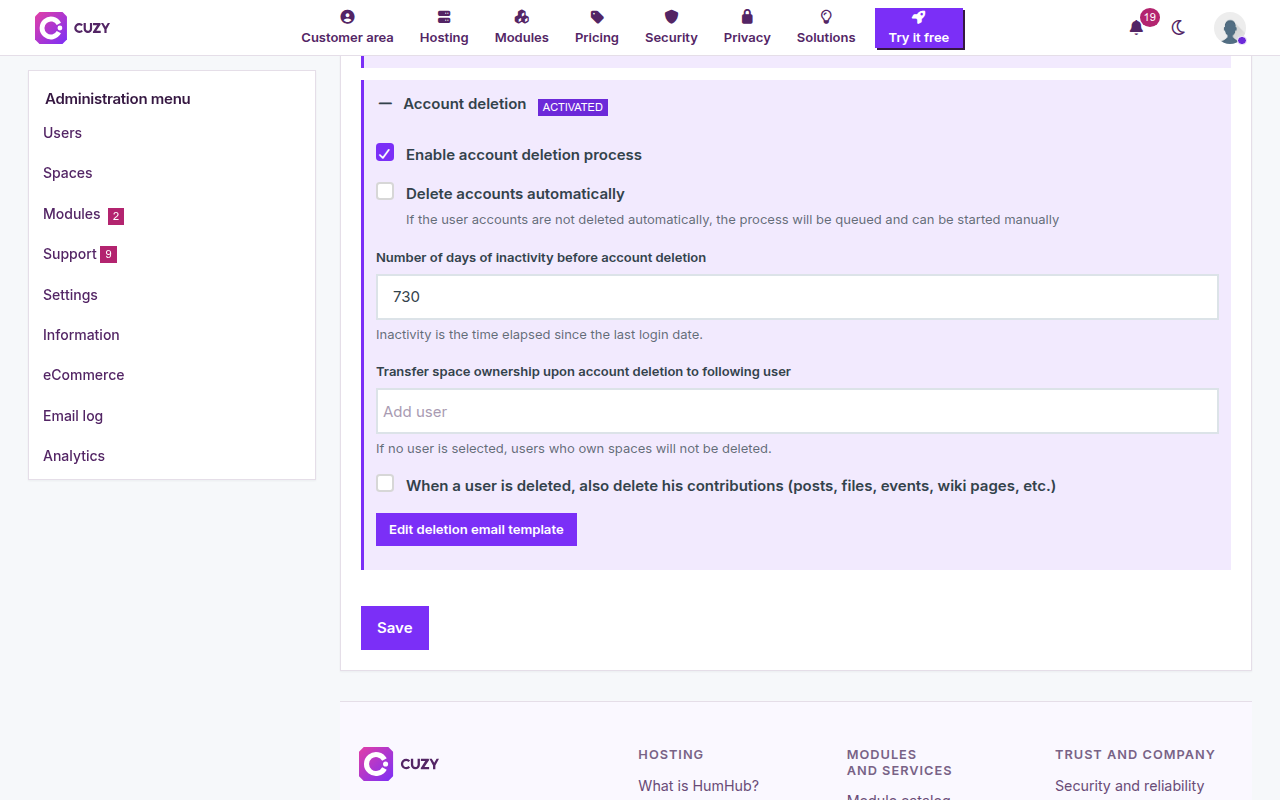
- Delete accounts automatically: unchecked, the daily job only prepares the list and an administrator deletes the accounts with a button on the Cleanup tab (step 4). Checked, the daily job deletes them.
- Number of days of inactivity before account deletion: 730 by default, counted from the last login.
- Transfer space ownership upon account deletion to following user: the member who becomes the owner of the spaces of a deleted member (added to the space, then made its owner). If nobody is selected, a member who owns a space is not deleted and the module writes the reason in the HumHub log.
- When a user is deleted, also delete his contributions: unchecked, HumHub's standard deletion keeps the posts, files, events and wiki pages of the member; checked, they are deleted with the account.
2. Keep a delay after the deactivation, and warn by email
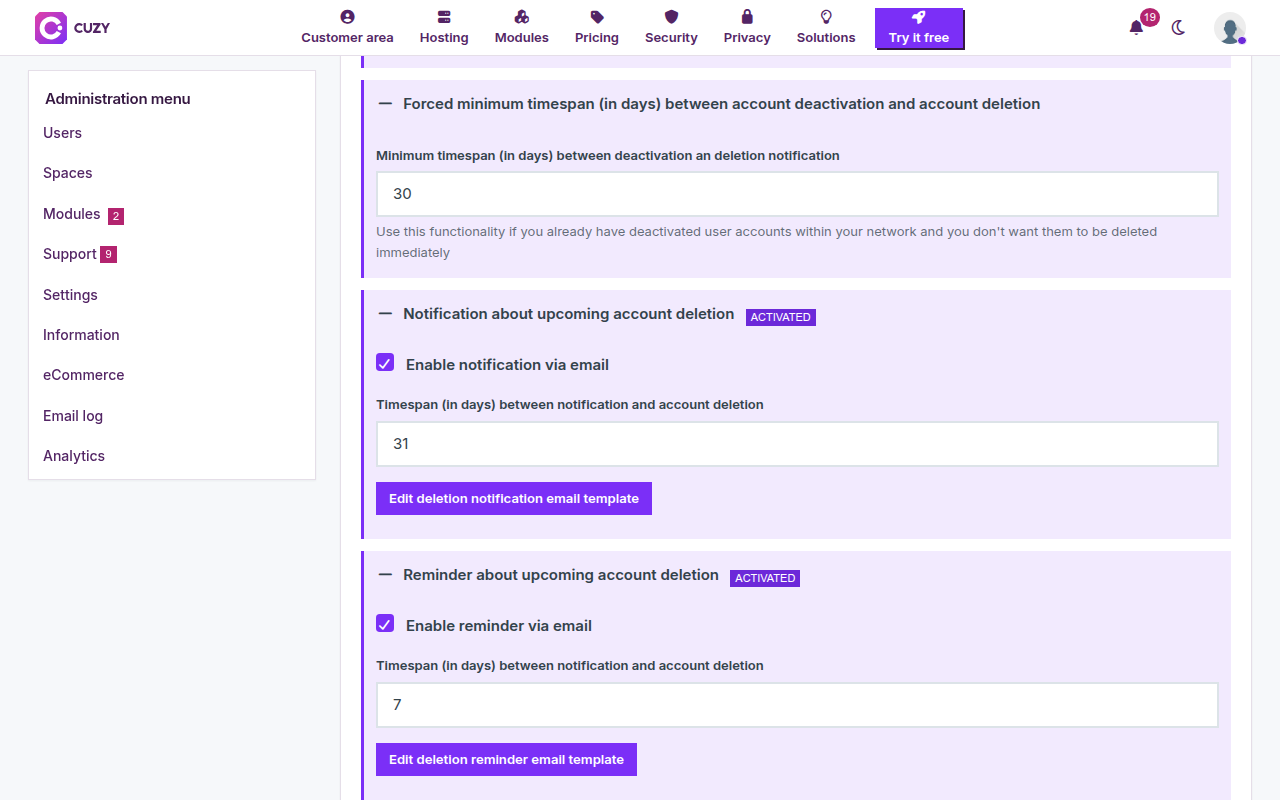
- Forced minimum timespan between account deactivation and account deletion: 30 days by default. An account deactivated by the module less than that many days ago is not deleted and does not receive the deletion notification, whatever its inactivity. It protects members you deactivated recently when you turn the deletion on for an existing community.
- Notification about upcoming account deletion and its reminder work like the ones of the deactivation: the timespan (31 and 7 days by default) is the time between the email and the deletion, and the emails give the member the date.
When the deactivation is enabled, only accounts that are already deactivated are deleted; when it is not, the deletion applies to every account past the inactivity delay. Save at the bottom of the page.
3. What the member receives
The deletion email is sent just before the account is deleted; by default it has no button, since there is no account to come back to. Until the deletion, a login reactivates the account and cancels the whole sequence. Members of an administrator group are never deleted.
4. Delete by hand
With "Delete accounts automatically" unchecked, the Cleanup tab of Administration → Users shows a "Delete these users accounts" button in the Account deletion row. It is active when at least one account is in the queue; a confirmation reminds you that the deletion is permanent:
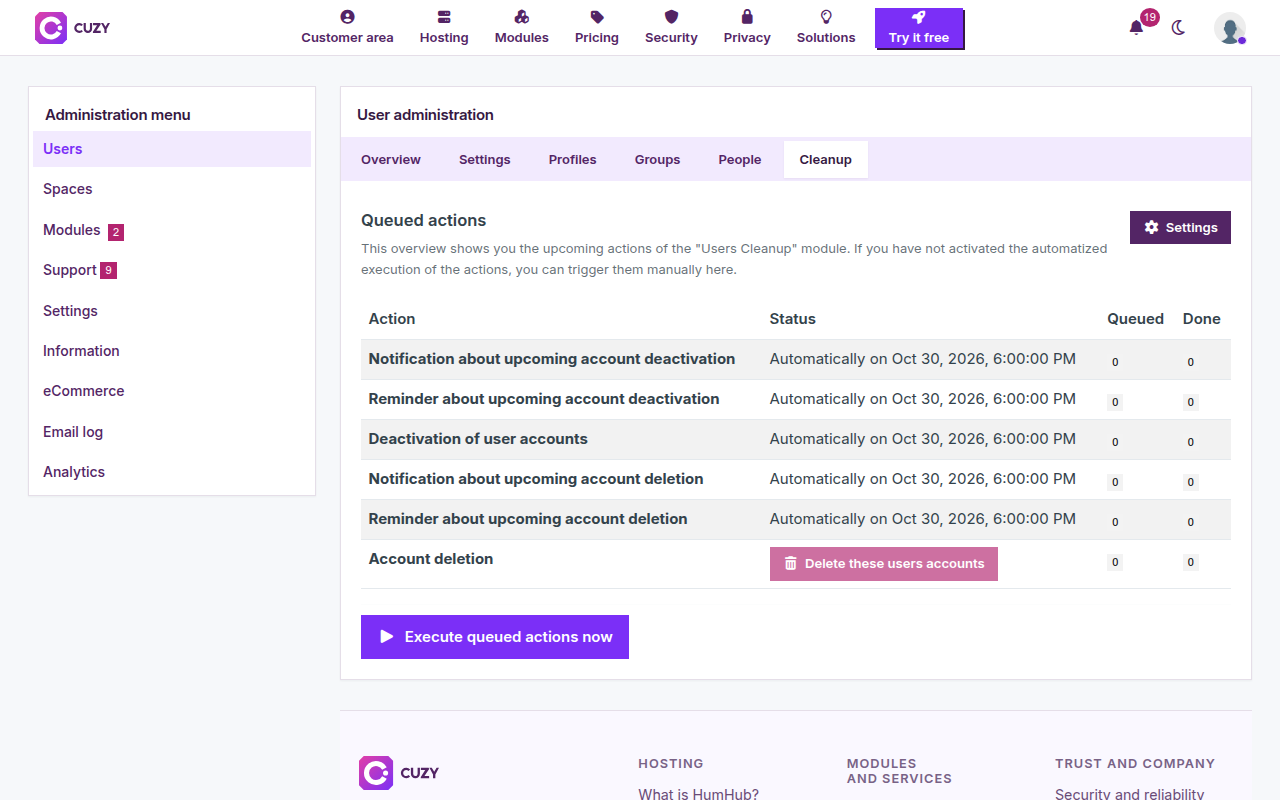
The "Execute queued actions now" button below the table runs the emails and the deactivation, not the deletion, unless it is set to automatic. The list of the accounts about to be deleted opens from the Queued column: see Queued actions.
Read next
- Set up User Cleanup for inactive HumHub accounts
- Deactivate inactive HumHub accounts automatically
- Customize the emails sent to inactive members
- Check and run the queued cleanup actions
- User Cleanup module: features and price
- New versions of the modules by email: the CUZY newsletter, a few times a year